Best Easy-to-Use Cameras for Seniors and Beginners
Finding a simple, reliable camera that meets the needs of older adults or first-time photographers can improve everyday moments, family gatherings, and travel memories. The following selections emphasize intuitive controls, readable displays, and dependable reliability. Each option below highlights why it’s well-suited for older users, including features like straightforward menus, long battery life, and clear image quality. Use this guide to compare approachable models and choose the best camera for a comfortable, enjoyable photography experience.
| Product | Why It Stands Out |
|---|---|
| KEENLUK Home Security Camera | Two-way video, 4.3″ screen, simple one-button operation, local storage |
| CAMKORY Small Digital 44MP | Compact, easy auto settings, long battery life with two batteries |
| CAMKORY Digital Camera for Kids And Starters | Easy use, 16x zoom, beginner-friendly design |
| Lecran Digital Camera For Kids | Lightweight, simple interface, filters for fun photos |
| Forc 4K Digital Camera | Front camera, 64GB card included, rugged portability |
KEENLUK Home Security Camera With Large Screen

The KEENLUK camera focuses on straightforward, user-friendly communication for seniors and loved ones. It features a 4.3-inch screen for easy viewing, a one-button call function, and two-way video that helps family members stay connected without complex menus. It supports local storage via SD card and operates without cloud subscriptions, which reduces technical friction for older users who prefer simple, reliable hardware. The device’s design prioritizes clear visuals and effortless operation, making it a practical option for daily use at home.
CAMKORY Small Digital 44MP Point and Shoot

This compact camera is designed for ease of use with auto-exposure and natural color rendering, delivering crisp 44MP photos and Full HD 1080p video without complicated manual settings. Its small size and lightweight build suit everyday carry, while two large-capacity batteries reduce frequent recharging—helpful for extended outings or daily use. The ergonomic layout and simple menus make it accessible for beginners and older users who want a straightforward photography experience.
CAMKORY Digital Camera For Kids And Starters White
Designed for beginners, this CAMKORY model emphasizes user friendliness with an ergonomic design, simple controls, and a clear LCD display. It’s a practical option for seniors who prefer a camera sized for comfortable handling and straightforward operation. The model includes a durable build, multiple modes for easy shooting, and a strong battery life profile, reducing the need for frequent recharging during day trips or family events.
Lecran Digital Camera For Kids Pink

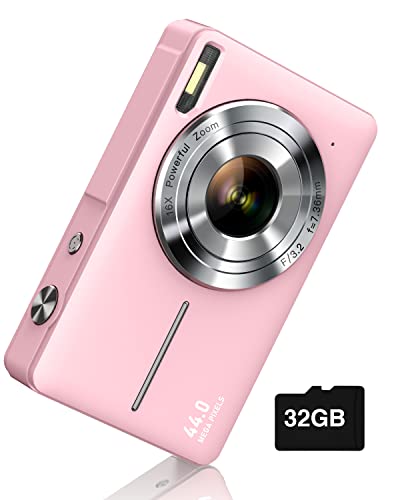
The Lecran pink camera emphasizes a mini-sized, easy-to-handle form factor with simple controls and a user-friendly menu. It captures clear 44MP images and FHD 1080p video, making it suitable for family memories and school events. The lightweight design, lanyard include, and basic features help reduce learning curves, which can be advantageous for older users who want a dependable, no-fuss device for everyday photography.
Fleafer Upgrade Digital Camera With 56MP

The Fleafer camera is designed for broader usability with a higher 56MP image resolution and 1080p video. It includes a 32GB TF card and two batteries, aiding extended shooting sessions without frequent recharging. The device supports 16x digital zoom and anti-shake features, which can help seniors capture sharp photos in varied environments. The ergonomic design and straightforward operation assist new photographers in achieving satisfying results quickly.
KEENLUK 4.3″ Screen For Elderly And Pets
Note: This section highlights a duplicate product for emphasis on senior-friendly features such as a larger screen and simplified interface. The key strengths include a spacious 4.3-inch display, easy-to-use controls, and reliable local storage via SD card. This model is appropriate for older users seeking a straightforward, dependable option that minimizes learning time while delivering clear photographs and smooth video.
Buying Guide: Key Purchase Considerations For Easy Cameras
When selecting a camera for older users or absolute beginners, focus on simplicity, readability, and reliability. Consider these factors to compare models effectively:
- Display size and readability: A larger screen helps seniors frame shots and review photos without straining their eyes. Look for models with 4.3 inches or larger LCD displays if possible.
- Ease of use: Favor cameras with minimal menus, clearly labeled physical controls, and one-handed operation. Scrolling through modes should be intuitive and quick.
- Battery life and charging: Long-lasting batteries reduce the need for frequent charging, especially during trips. Dual-battery kits are a strong plus for extended outings.
- Image quality vs. complexity: While high resolution is nice, prioritize automatic settings that deliver good photos without requiring manual adjustments.
- Durability and safety: A lightweight, compact, and robust body helps with handling, especially for older hands. Non-toxic materials and a simple strap are pluses.
- Storage and transfer: Built-in memory or included memory cards simplify first use. Look for models that support easy USB transfer to a computer or phone.
- Additional accessibility features: Consider cameras with straightforward pairing to smartphones, simple on-device playback, and clear audio for videos if needed.
In sum, the best camera for an older adult prioritizes easy operation, dependable performance, and clear visuals. The options listed above strike a balance between accessibility and image quality, helping seniors capture memorable moments with confidence.