Best SD Cards for Digital Cameras: Speed, Capacity and Reliability
For photographers and videographers, a dependable SD card is essential. The right card balances capacity, read/write speeds, and durability to keep your workflow smooth—from rapid offloads to uninterrupted 4K recording. Below is a curated guide to high-performance SD cards that work well with modern digital cameras, followed by practical buying considerations to help you choose confidently.
| Product | Capacity | Key Benefit |
|---|---|---|
| SanDisk 128GB Extreme PRO SDXC UHS-I | 128GB | Ultra-fast offloads and reliable 4K performance |
| SanDisk 256GB Ultra SDXC UHS-I | 256GB | Great everyday capacity with solid read speeds |
| SanDisk 256GB Extreme SDXC UHS-I | 256GB | High-end 4K capable with strong write speeds |
| SanDisk 128GB Ultra SDXC UHS-I | 128GB | Budget-friendly option with dependable Full HD performance |
| SanDisk 256GB Extreme PRO SDXC UHS-I | 256GB | Highest-end speeds for rapid transfers and heavy workflows |
Choosing an SD card involves considering capacity, speed class, and compatibility with your camera. The models listed here are designed to deliver fast transfer rates, reliable performance under pressure, and broad compatibility with most digital cameras that use SDXC formats. The cards leverage SanDisk’s QuickFlow technology on select capacities, and many are optimized for 4K and Full HD recording. Use cases range from street photography and event coverage to long-form video projects.
SanDisk 128GB Extreme PRO SDXC: High-Performance 4K Ready
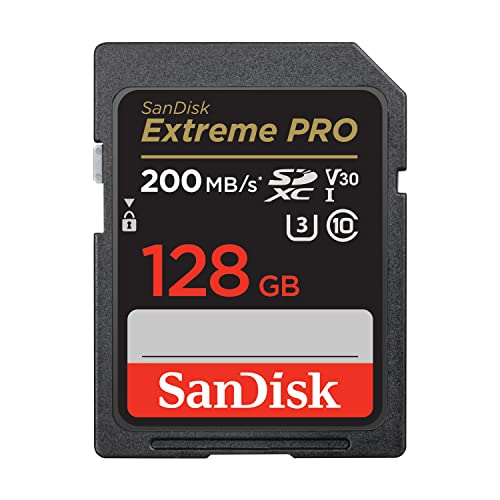
The SanDisk 128GB Extreme PRO SDXC UHS-I card is designed for serious photographers who require fast offload speeds and dependable performance in demanding shooting scenarios. It offers offload speeds up to 200 MB/s, supported by SanDisk QuickFlow Technology on compatible capacities. This speed helps you quickly transfer high-resolution photos and 4K video to your computer, reducing downtime between shoots. It’s ideal for cameras that can exploit high read speeds and perform well with fast CF or USB-C readers when paired with the right equipment. Write speeds are strong as well, supporting sustained recording and smoother playback during review.
Key features include up to 200 MB/s read, 90 MB/s write speeds in some configurations, and the option to pair with SanDisk PRO-READER SD for maximum performance. It’s well-suited for 4K UHD capture and rapid sequence shooting, provided your workflow supports these speeds. Availability of QuickFlow varies by capacity, and real-world performance depends on your host device and usage conditions.
SanDisk 256GB Ultra SDXC UHS-I: Strong All-Rounder

The 256GB Ultra card balances capacity and speed for everyday photography and Full HD video. It offers quick transfer speeds up to 150 MB/s and provides ample storage for large photo libraries, long shoots, or extended video sessions. The card’s capacity is especially suitable for photographers who shoot in RAW or 4K, where large file sizes accumulate quickly. While primarily positioned for point-and-shoot and enthusiast cameras, this card can handle more demanding tasks when paired with cameras that support higher UHS-I speeds.
Performance notes emphasize that read speeds are optimized in compatible devices, and actual speeds can vary with host hardware and usage conditions. This card is a reliable choice for vacation shooters, event photographers, and videographers who want a balance of price, space, and dependable performance.
SanDisk 256GB Extreme SDXC UHS-I: 4K Ready Power

This 256GB Extreme SD card targets 4K video and fast burst shooting with strong write performance. It supports high-speed offloads up to 180 MB/s, enabled in part by SanDisk QuickFlow Technology on suitable capacities. It also emphasizes compatibility with the SanDisk PRO-READER SD to push speeds further when used in high-end workflows. Write speeds reaching around 130 MB/s help sustain video capture and keep up with rapid-fire bursts in busy shooting environments.
Applicable use cases include professional event photography, wildlife shooters, and videographers who require reliable 4K recording without buffering or dropped frames. Real-world performance depends on device support and card capacity; ensure your camera supports UHS-I speeds to maximize benefits.
SanDisk 128GB Ultra SDXC UHS-I: Entry-Level Reliability
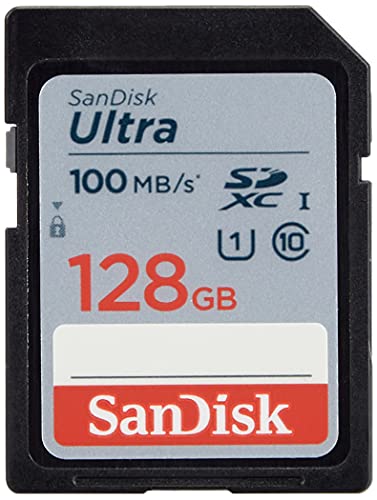
For photographers seeking a dependable, cost-effective option for everyday use, the 128GB Ultra card is a practical choice. It provides solid performance for Full HD photography and video, with typical transfer speeds that support smooth offloads and minimal waiting between shots. The capacity suits daily shoots, travel photography, and casual video projects. While not the highest-speed option, its balance of price and reliability makes it a popular pick for hobbyists and entry-level professionals alike.
Actual usable capacity can be less than advertised due to formatting and system requirements. This card shines when paired with cameras that comfortably exploit UHS-I speeds and when your workflow prioritizes steady performance over extreme data rates.
Gigastone 128GB SD Card: Data Recovery Support

Gigastone’s 128GB SD card emphasizes data security and recovery with a five-year free data recovery offer. It’s designed for 4K UHD recording and can handle high-resolution media with reliable performance. The card supports up to 100 MB/s transfer speeds, making it a reasonable option for photographers and videographers seeking additional post-purchase protection and peace of mind in case of accidental data loss. It’s compatible with standard SDXC devices and can serve as a practical backup or secondary card for busy shooting days.
Additional 4K-capable Gigastone options

The 256GB Gigastone option expands capacity for longer shoots or higher-bitrate video. It shares the same emphasis on 4K UHD compatibility and data recovery perks. While Gigastone cards may not carry the same brand recognition as SanDisk at a glance, they offer competitive performance and a robust data protection proposition for professional workflows requiring large capacities and reliable media safety nets.
Buying Guide: Key Purchase Considerations
- Capacity vs. workflow: Higher capacity is beneficial for 4K video and RAW bursts, but ensure your camera’s slot supports the card’s size and your budget aligns with your storage needs.
- Speed class and performance: Look for UHS-I or faster cards (U3, Class 10, V30) to ensure smooth video recording and quick transfers. Consider read/write speeds that match your camera’s capabilities and your computer’s card reader.
- 4K and higher: If you shoot 4K or higher, prioritize cards with strong sustained write speeds to prevent dropped frames and buffering during capture.
- Durability and reliability: For field work, choose cards with robust build quality and reliability histories. Some models offer added data protection or recovery options.
- Compatibility: Confirm the card’s compatibility with your camera model and the reader you plan to use. Some features (like QuickFlow) are capacity-dependent and may require specific devices.
- Data protection and recovery: Consider a card or brand offering data recovery services or recovery guarantees, especially if you store valuable footage.
- Cost per gigabyte: Higher-capacity cards often reduce cost per GB but require larger upfront investments. Balance capacity with budget and the expected shooting load.
In evaluating options, it’s common to pair high-performance cards with a capable card reader or dock to maximize throughput. If your production includes extensive 4K footage or continuous bursts, investing in higher-end models may yield consistent performance and fewer bottlenecks. Always format cards in-camera to optimize compatibility and performance for your specific device.