Best 360 Degree Cameras for Every Use: Security, Conferencing, and Action Captures
If you’re searching for a small 360-degree camera, you’ll want options that fit your use case—home security, video conferencing, or action-packed recording. This guide highlights five compact 360° models, each selected for clear 360° coverage, easy setup, and practical features. Best for home monitoring are rotating indoor cameras; best for meetings are all-around webcams; best for on-the-go recording are compact action cams. The table below helps you compare at a glance and identify the ideal pick for your needs.
Selected products at a glance
| Product | Best For | Key Benefit |
|---|---|---|
| Ring Pan-Tilt Indoor Cam | Home security | 360° pan and tilt with real-time Two-Way Talk |
| GALAYOU Indoor Security Camera 2K (G2-2Pack) | Pet/Baby surveillance | 2K resolution with 360° coverage and night vision |
| j5create 360 Degree All Around Meeting Webcam | Video conferencing | 360° coverage with built-in mic and 1080p video |
| Insta360 X3 | Action and vlogging | 5.7K 360 capture with AI reframing |
| VROAVIE 360 Degree View Dash Cam | Vehicle monitoring | 4-channel 360° coverage with night vision |
Ring Pan-Tilt Indoor Cam (Newest Model)
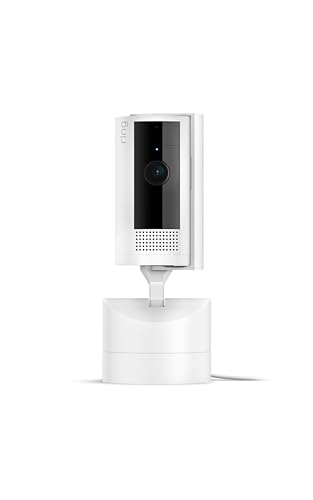
The Ring Pan-Tilt Indoor Cam provides seamless 360° viewing with pan and tilt controls from a mobile app. It supports Live View with Two-Way Talk, enabling real-time communication. Best for homeowners or small business owners who want flexible indoor coverage and remote communication. A notable limitation is that full coverage relies on regular app interaction and stable Wi-Fi, which can affect performance during network outages.
GALAYOU Indoor Security Camera 2K (G2-2Pack)
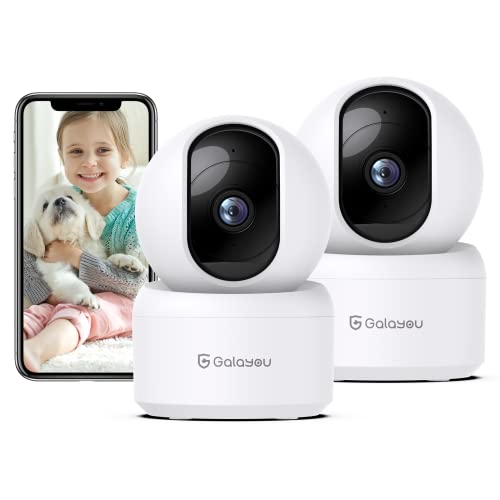
GALAYOU’s 2K indoor camera offers 360° horizontal and limited vertical coverage, suitable for wide-area monitoring of pets or infants with night vision and 24/7 SD card storage. It supports 2.4GHz WiFi and works with Alexa and Google Assistant. Best for users needing a budget-friendly, all-around security solution. Better for static rooms than extreme close-ups; not optimized for high-frequency motion in every corner due to limited vertical reach.
j5create 360 Degree All Around Meeting Webcam

This webcam offers 360° video conferencing with a built-in omnidirectional microphone and multiple display modes for flexible viewing. It is ideal for online classes or team meetings where showing participants from all angles matters. The main caveat is that it requires a computer and USB-C connectivity; it is not a standalone camera for streaming or recording without a connected PC.
Insta360 X3 Action Camera

The Insta360 X3 combines 5.7K 360 capture with AI reframing and FlowState stabilization for smooth action footage. It’s a strong pick for motorcycling, winter sports, and vlogging where compact, high-resolution 360 video matters. A limitation is that the advanced editing and reframing features rely on the Insta360 app, so optimal use requires a smartphone with the app installed.
VROAVIE 360 Degree View Dash Cam
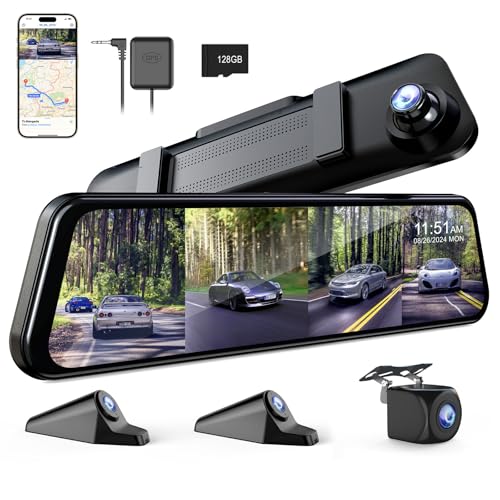
This 360-degree dash cam system provides 4-channel recording with adult night vision and GPS, designed for vehicle use. It’s best for drivers seeking comprehensive in-car coverage with parking monitoring. Choose this if you want to monitor both front and rear angles around a vehicle. A limitation is that the setup relies on the included 12″ rear-view mirror integration, which may not fit all vehicles.
Buying Guide: Key Considerations For 360° Cameras
- Purpose: Security, conferencing, or action capture? Match features to your primary use case.
- Coverage and angles: Horizontal 360° is common; vertical tilt varies by model. Ensure you get the angle range you need.
- Resolution and low-light: Higher resolution and night vision improve detail in dim environments.
- Connectivity: WiFi bands (2.4/5G), USB connections, or cellular options affect setup and reliability.
- Storage: Local SD cards or cloud options; consider how you’ll access footage.
- Audio quality: Built-in mics and two-way audio are crucial for real-time communication in security or conferencing.
- Power and portability: Indoor cameras often require power outlets; action cams benefit from battery life and rugged design.
Frequently Asked Questions
- What is a 360-degree camera best used for?
Choosing depends on your goal: security coverage, conferencing with all participants, or immersive action footage. - Do 360° cameras require special apps?
Many models use companion apps for live view, control, and editing; check compatibility with your devices. - Is 360° video expensive to store?
Storage needs scale with resolution and frame rate; cloud plans or larger SD cards help manage footage. - Can these cameras work without a constant internet connection?
Some models store locally on SD cards; others require online access for live streaming and alerts. - Are 360° webcams suitable for large conference rooms?
They’re ideal for small to mid-sized setups; for large spaces, you may need additional cameras or a dedicated room setup. - Which 360° camera is best for night use?
Models with multiple infrared LEDs and high-quality sensors perform best in low light.