Best UHS-I Memory Cards for Cameras and Gadgets
Answering the core buyer question: which UHS-I memory cards deliver reliable performance for everyday photography, 4K video, and high-speed transfers? This guide highlights five solid options that balance capacity, speed, and compatibility for common American-use cases. Best for travelers needing dependable storage, students capturing high-resolution media, or hobbyists upgrading from older SD cards. Each entry includes who it’s best for, why it stands out, and a practical caveat. A quick summary table follows to help you compare at a glance.
Summary Table
| Product | Capacity | Key Strength | Best For |
|---|---|---|---|
| SanDisk Ultra SD Card 128GB (SDSDUN4-128G-GN6IN) | 128GB | Solid everyday speeds up to 120 MB/s | Compact to mid-range point-and-shoot cameras, casual shooters |
| SanDisk Extreme SDHC 32GB (SDSDXVT-032G-GNCIN) | 32GB | U3 / V30, 4K capable, robust sustained transfers | 4K UHD video and burst photography enthusiasts |
| SanDisk Ultra 64GB SDXC (SDSDUNB-064G-GN6IN) | 64GB | Up to 140 MB/s read, solid all-around speeds | Travelers and hobbyists with moderate storage |
| SanDisk Extreme PRO 64GB SDXC (SDSDXXU-064G-GN4IN) | 64GB | Up to 200 MB/s read; fast offloads | Advanced shooters, 4K, continuous shooting |
| SanDisk Extreme microSD 1TB (SDSQXAV-1T00-GN6MA) | 1TB | High capacity with high-speed offload | Nintendo Switch and other microSD-enabled devices needing large storage |
SanDisk Ultra SD Card 128GB — 120MB/s

The 128GB Ultra SD card from SanDisk is designed for compact to mid-range point-and-shoot cameras and everyday photography needs. With read speeds up to 120 MB/s, it supports quick backup of moments and smooth photo transfers. Best for casual photographers who value dependable, widespread compatibility and straightforward performance. A potential limitation is that this older version has been discontinued by the manufacturer, which could affect future support or availability of batteries and accessories.
SanDisk Extreme SDHC 32GB — U3, V30

This 32GB Extreme card is built for faster performance with U3 and V30 ratings, enabling smoother 4K UHD video capture and reliable high-speed bursts. Ideal for videographers and sports shooters who need steady sustained writes. It’s best for devices that can consistently sustain higher write speeds; if your host device doesn’t support high-speed UHS-I modes, you may not see the full advantage. Also, smaller capacity may require more frequent in-camera backups.
SanDisk Ultra 64GB SDXC — Up To 140MB/s
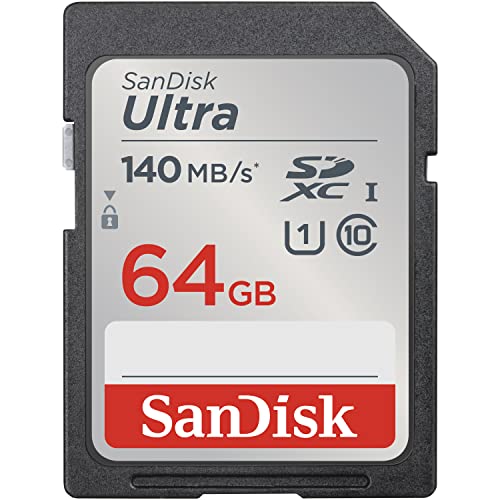
The 64GB Ultra SDXC card offers up to 140 MB/s read speeds, providing solid performance for travel photography and Full HD video. Best for travelers who need a reliable balance of speed and capacity without paying for premium features. A limitation is that write speeds can be lower than read speeds, which may affect long continuous recording sessions or high-frame-rate video on certain devices.
SanDisk Extreme PRO 64GB SDXC — 200MB/s Read

The Extreme PRO 64GB SDXC card delivers up to 200 MB/s read speeds and up to 90 MB/s write speeds, making it a strong choice for professional-grade 4K video and fast-burst photography. Best for advanced shooters who need quick offloads and reliable performance in demanding workflows. Better for high-end cameras and workflows; however, higher price and capacity-per-call tradeoffs may not suit casual users who only shoot occasional 4K video.
SanDisk 1TB Extreme MicroSDXC — 190MB/s
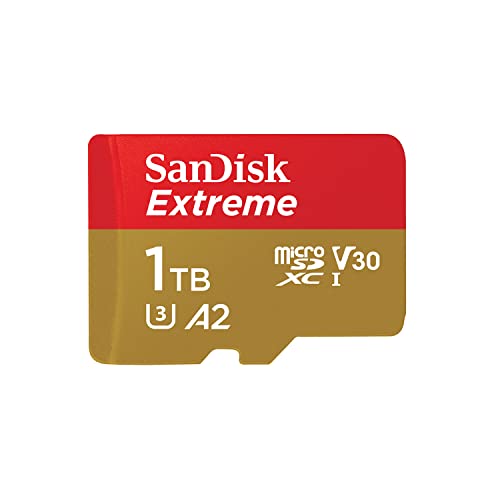
This 1TB microSDXC card, with up to 190 MB/s read speeds, is ideal for devices that support high-speed microSD performance and need massive storage, such as handheld gaming consoles or cameras with microSD slots. Best for users who require extreme capacity in a compact form factor. A notable caveat is that SanDisk QuickFlow Technology is available only on select capacities; ensure your device supports the higher-end speeds to realize the full benefit.
SanDisk 256GB Extreme PRO SDXC — 200MB/s Read

The 256GB Extreme PRO SDXC card offers up to 200 MB/s read and 140 MB/s write speeds, designed for 4K UHD capture and fast file transfers. Best for professionals who need large, fast memory for lengthy shoots. It pairs well with high-end cameras and the SanDisk QuickFlow ecosystem for maximum throughput. A potential limitation is higher cost and larger capacity may exceed the needs of casual users with limited video projects.
Buying Guide: Key Purchase Considerations
- Capacity needs: Choose capacity based on video resolution, shooting frequency, and archive strategy. Higher resolutions and longer shoots demand more space.
- Speed class and use case: For 4K video and rapid RAW bursts, look for U3 and V30 ratings and high sustained write speeds. For everyday photos, UHS-I with solid read speeds suffices.
- Device compatibility: Verify your camera, drone, or console supports the card’s speed and format. Some older devices may not leverage the fastest speeds.
- Reliability and endurance: For frequent transfers and long-term storage, prioritize reputable brands and cards with robust error protection and durability features.
- Format and adapters: SD vs. microSD and the need for adapters affect where you can use the card. Ensure proper insertion and handling guidelines to avoid data loss.
Frequently Asked Questions
- What does UHS-I mean?
UHS-I refers to the Ultra High Speed interface used by certain SD cards. It enables faster data transfer, especially useful for high-resolution photography and 4K video.
- Is a higher capacity always better?
Higher capacity prevents frequent card swaps but increases cost. Choose capacity based on your shooting habits and backup plan.
- Do all devices support 4K video on these cards?
No. 4K support depends on the camera’s capabilities and the card’s sustained write speed. Check device specs and card ratings.
- What is the difference between Ultra and Extreme PRO series?
Ultra focuses on balanced everyday performance; Extreme PRO targets higher speeds for professional shooting and rapid offloads.
- Can I use these cards in a Nintendo Switch?
Some microSD cards (not all) are compatible with Switch; verify the console’s requirements and card compatibility for best results.