Best Video Monitor for Camera: Top Picks for Clear, Accurate on-Camera Monitoring
Finding the right video monitor for a camera setup hinges on brightness, color accuracy, input/output flexibility, and how it fits your filming workflow. This guide highlights five reliable field monitors ideal for different kinds of shooters—from indie creators to professionals on tight rigs. Each pick is evaluated for who it’s best for, what makes it stand out, and any practical limitations to consider.
Summary of top picks:
- NEEWER F700 — Best overall for bright outdoor shoots and advanced monitoring tools.
- Neewer F100 (HD 1080p) — Best value with useful exposure and sunshade for outdoors.
- NEEWER F100 Updated — Best for long runtimes with a sizable battery option.
- FEELWORLD FW759 — Best for portable on-camera use with robust focus tools.
- Portkeys LH7C — Best for heavy color control and 4K input with LUT output.
NEEWER F700 7″ Field Monitor With Touch Screen and 4K Loop

This 7-inch IPS touch display delivers 2000 nits of brightness and a 1920×1080 resolution, making it ideal for bright outdoor lighting. It supports 4K HDMI loop in/out and a wide range of formats, including 3840×2160 and 4096×2160 at various Hz. The touchscreen interface plus backlight control helps operators tailor visibility in changing conditions. This monitor includes HDR, waveform, vectorscope, and peak focus features to assist critical focus and exposure decisions. It’s best for professionals who need high brightness, reliable professional tools, and color-accurate monitoring on set.
Who this is best for: Independent filmmakers, documentary crews, or production teams that film outdoors or in bright environments and require quick LUT access and professional scopes without sacrificing portability.
Why selected: It offers the strongest brightness and a broad feature set for on-set monitoring, along with flexible 3D LUT support and up to 60 custom LUTs. The dual NP-F style power option helps extend shooting time.
Limitation to note: The unit relies on external power options; ensure battery compatibility with your rig to avoid mid-shoot power drops.
Neewer F100 7″ Field Monitor — 1280×800 HD IPS

The Neewer F100 is a compact 7-inch external monitor with a 1280×800 IPS panel and 450 nits of brightness. It provides essential formats including 1080p and 720p in various frame rates, along with a sunshade to improve outdoor visibility. The monitor emphasizes practical on-set usability, with a straightforward interface and compatibility with DSLRs, camcorders, and stabilizers. Best for entry-level shooters or small rigs needing a reliable external display without extra bulk.
Who this is best for: Beginners, budget-conscious creators, or small crews who want a dependable monitor that’s easy to transport and set up.
Why selected: Its balance of price, features, and outdoor usability makes it a practical upgrade from camera LCDs for basic exposure and framing checks.
Limitation to note: Peak features and professional scopes are limited compared with higher-end models; it focuses on core monitoring rather than advanced color workflows.
NEEWER F100 Updated Version — 7″ 450 Nits Monitor with Battery
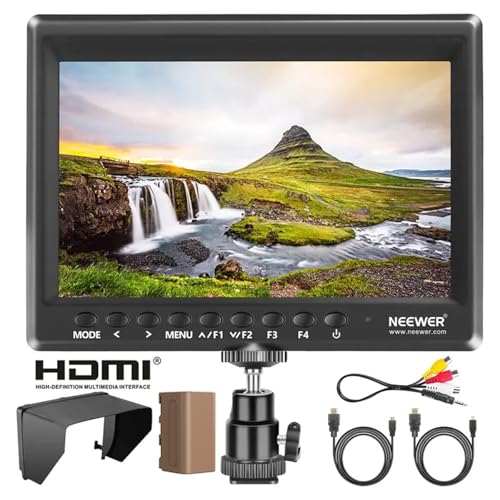
This updated 7-inch external monitor emphasizes a slim 17mm profile and a 1280×800 IPS panel with 450 nits brightness. It includes a 4400mAh battery option (F750) for several hours of operation and offers an HDMI input/output chain compatible with 4K signals downscaled to 1080p. It supports a comprehensive set of tools, such as peaking focus, histogram, and center markers, along with 3D LUT capability through a USB interface. The addition of a battery-friendly power path makes it a solid choice for handheld or gimbal work.
Who this is best for: Filmmakers using handheld rigs or gimbals who need longer on-battery runtime and a compact form factor without sacrificing core monitoring tools.
Why selected: The extended battery option and lightweight build suit mobile productions where power efficiency and ease of use matter most.
Limitation to note: 450 nits brightness may be challenged in very bright outdoor environments without sun shading.
Portkeys LH7C 7″ 1000 Nits Monitor With LUT Output

The Portkeys LH7C brings 1000 nits brightness with a 7-inch IPS panel and robust color control, featuring 10-bit color depth and support for up to 20 custom 3D LUTs via USB. It supports 4K input and can output 3D LUTs through HDMI, enabling consistent color grading on wireless or director monitors. It includes a dedicated control cable for streamlined camera control and power management. This model is best for color-conscious shoots that require LUT-driven consistency across devices.
Who this is best for: Cinematographers and color-focused crews who depend on precise LUT workflows and single-cable setups for clean rigs.
Why selected: The LUT output and 10-bit color depth support deliver advanced grading workflows and cohesive on-set viewing across multiple devices.
Limitation to note: Complex control features may have a learning curve compared with simpler monitors.
FEELWORLD FW759 7″ On-Camera Field Monitor
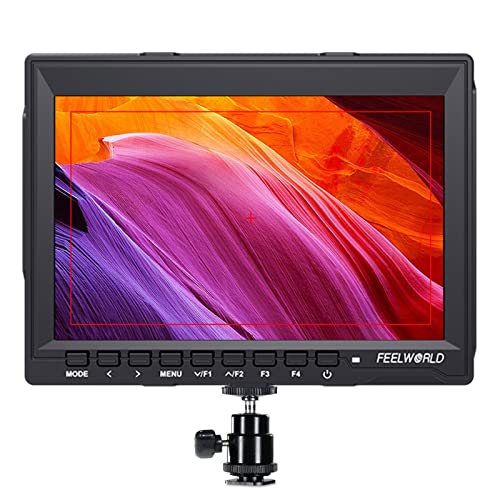
FEELWORLD’s FW759 provides a larger viewing area than small camera screens with a 7-inch IPS panel at 1280×800. It supports 4K HDMI input, a range of exposure tools, and focus aids including peaking and histogram, plus a 3D LUT workflow. Its lightweight, slim profile is suitable for indoor shoots, vlogging, and quick run-and-gun setups. A sun hood is included to improve outdoor visibility, making it versatile for on-location work.
Who this is best for: Content creators who need a reliable on-camera monitor with essential LUT and focus tools in a compact, portable package.
Why selected: The blend of essential monitoring tools, a robust feature set, and portability makes it a practical choice for everyday shooting scenarios.
Limitation to note: It may not offer the most advanced waveform or LUT management compared with higher-end models.
Buying Guide: How To Choose The Right Video Monitor For Camera
What brightness do you need?
Look for monitors offering 1000 nits or more if you shoot outdoors or under bright lighting. Higher brightness helps maintain accurate exposure and visibility, reducing eye strain on long shoots.
What about color and LUTs?
10-bit color support and the ability to load or output 3D LUTs are crucial for color-critical work. If you plan to color grade on set or match multiple devices, choose models with LUT support and easy LUT management.
What input/output flexibility matters?
HDMI in/out, 4K support, and the ability to loop through signals simplify complex rigs. If you use wireless transmitters or director monitors, ensure LUT and waveform outputs align with those devices.
Power and run-time considerations
Battery options and USB power compatibility affect field usability. Monitors with removable batteries and USB-C power can extend shooting sessions without frequent recharges.
Portability vs. feature depth
Smaller, lighter monitors are ideal for handheld setups, while larger displays offer deeper scopes and waveform tools. Align the choice with your typical shooting style and rig weight limits.
Common limitations to watch
- All-in-one field monitors may not replace a dedicated color grading monitor in a studio.
- High brightness models can run hot if used continuously on long shoots.
- Some monitors require firmware updates or SD card access for LUT management.
Quick comparison table
| Model | Best For | Brightness (nits) | Key Features |
|---|---|---|---|
| NEEWER F700 | Bright outdoor shoots, LUTs | 2000 | 4K loop, 3D LUTs, HDR, peak focus |
| Neewer F100 | Budget, outdoor sun use | 450 | HD 1280×800, sunshade, versatile formats |
| NEEWER F100 Updated | Long runtimes, compact rigs | 450 | 4400mAh battery, 3.5 hours, USB power |
| Portkeys LH7C | Color-critical LUT workflows | 1000 | HDMI 3D LUT Output, 10-bit, 20 LUTs |
| FEELWORLD FW759 | Portable on-camera monitoring | 400 | 4K HDMI, focus tools, sun hood |
Frequently Asked Questions
What is the main difference between 4K HDMI loop and standard HDMI output?
A 4K HDMI loop allows you to pass the camera’s 4K signal through the monitor to another display while maintaining the original signal quality. It’s useful for multi-device monitoring on set.
Do I need 10-bit color on a field monitor?
10-bit color provides smoother gradients and better color fidelity, which helps in color grading and avoiding banding in highlights and shadows.
Is brightness above 1000 nits necessary for all shoots?
Not always. For indoor or controlled environments, 400–700 nits may be sufficient. Outside, higher brightness improves visibility in sunlight.
Can these monitors control my camera directly?
Some models include wired control cables or integration features, but most external monitors primarily display and analyze footage. Check each model’s specific control options for your camera system.